
I cannot find my power cord/I damaged my power cord.
Replace Power Cord
Replacement power cords are available from Horizon Fitness. First, determine which cord will work with your product by checking the power cord guide. To purchase the replacement power cord, visit the Horizon Fitness e-Store.Back to topThe message 'safety key off' scrolls across the console display window.
Resolution: Safety Key
Make sure safety key is properly inserted. See chart for more details.
Back to topThe elevation function is not working properly.
Double check that all connections are secure, especially the console cable. Unplug and reconnect the console cable to verify.
Unplug treadmill from wall outlet. Wait 60 seconds, allowing lower board to discharge built-up energy.
Remove motor cover.
Verify that there are no lights lit on the lower circuit board.
Verify that all wires are securely and correctly placed on the lower circuit board, especially the large wire harness on the top of the circuit board with 12 different colored wires coming out of it.
Back to topAll or some of the keys on the console do not work.
Massage Keypads
Unplug treadmill from wall outlet.
While standing on both side rails, firmly massage over all keys in a circular motion.
Plug in the treadmill and recheck console keys.
CORRECTIVE ACTION: If massaging doesn't work, move to resolution #2.
Upper Board Ribbon Cable Connections
Unplug treadmill from wall outlet. Wait 60 seconds, allowing lower board to discharge built up energy.
Remove screws that hold the console electronics to the console housing.
From the top of the console, gently lift the console faceplate and electronics from the console housing.
Verify that the ribbon cable connections are properly and securely in place. The ribbon cable is a thin clear cable with white stripes that connects to the bottom of the upper board. The ribbon cable should fit snugly into place.
CORRECTIVE ACTION: Secure ribbon cable connections. If unable to secure connections, contact Horizon Fitness Tech Support at 1-800-244-4192.
If only the quick keys are not working.
The 2007 treadmills have a two-touch speed and incline function.
Press the quick speed key that you want and then the Enter or Confirm button to select that speed or incline
Back to topCan't acquire/read heart rate.
Heart Rate Monitor Use
Good contact with the grip is essential. Before taking pulse, stop walking and step on side rails and place hands on contacts.
Try gripping the handlebar contacts over the top, with your thumb next to your index finger instead of gripping it with your thumb under the handlebars.
Contact heart rate grips are not intended for continuous reading. Rather, try holding the grips for 10-20 seconds at a time for an accurate reading.
Static electricity can damage the heart rate grip receiver and/or grips and cause either an "HR" or no reading at all.
View troubleshooting chart for more details.
CORRECTIVE ACTION: If these options do not resolve heart rate issues, contact Horizon Fitness Tech Support at 1-800-244-4192.
Back to topExcessive static electricity/erratic heart rate readings.
Eliminate Static
Stay away from nylon clothing. Wear cotton clothing to reduce static on the body.
Use an anti-static spray on clothing and/or around treadmill.
Try a different pair of shoes. Some shoes seem to add to static shocks.
Use humidifier to increase humidity in the air.
Improper Grounding
There may be an improper grounding of the heart rate receiver. Inspect the heart rate receiver to insure that grounding wire is attached.
Rubber Mat
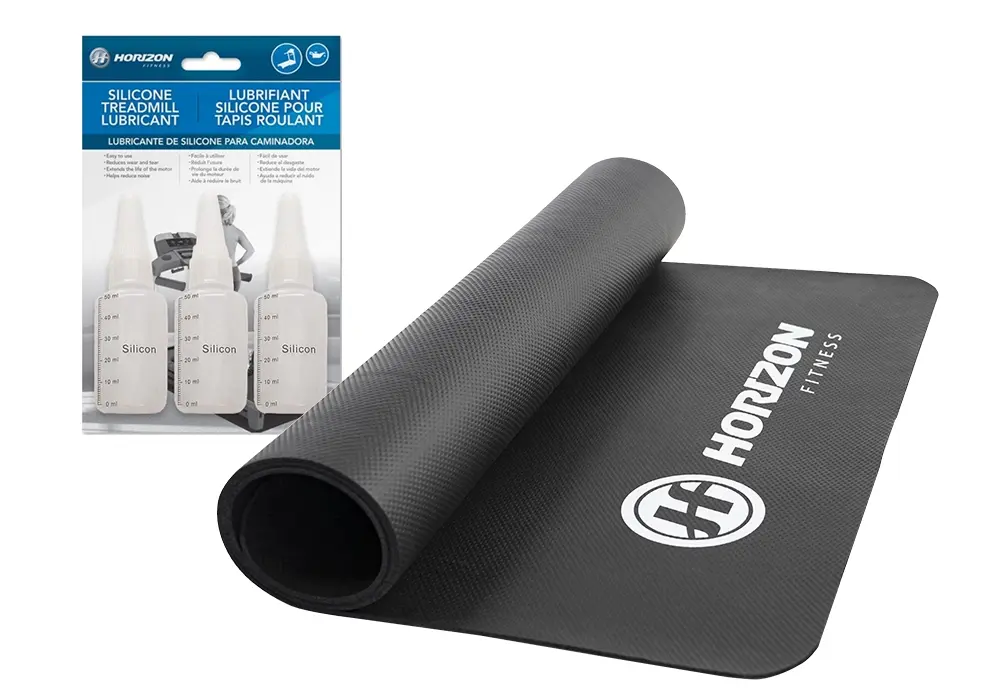
Place a rubber mat under the treadmill to reduce the static carried from the carpet. They are typically found at department stores or treadmill specialty stores.
Lubricate Deck
Refer to your owner's manual on how to properly lubricate the machine.
Checking Running Belt and Deck
A worn belt and deck can contribute to premature motor and motor control board failure. Please click here to see when it's time to change your belt and deck.
Back to topMy running belt does not move.
Check cables or loose wires.
Double check that all connections are secure, especially the console cable. Unplug and reconnect the console cable to verify.
Make sure the console cable is not pinched or damaged in any way.
Turn the power off, unplug the power cable and wait 60 seconds. Remove the motor cover. Wait until all red LED lights have gone off on the motor control board before proceeding. Next, verify that none of the wires connected to the lower board are loose or disconnected.
Check running belt and deck.
A worn belt and deck can contribute to premature motor and motor control board failure. Please click here to see when it’s time to change your belt and deck
Back to topNo console display.
Power Source
Verify that the power cord is securely plugged into the wall outlet.
Verify that the treadmill switch is turned on. If the red light on the switch is on, refer to no console display below.
CORRECTIVE ACTION: If red switch light is on refer no console display below. If switch light is not lit, contact Horizon Fitness Tech Support at 1-800-244-4192.
Crimped Power Cable
Unplug treadmill from wall outlet. Wait 60 seconds, allowing lower board to discharge built up energy.
Check power cord for pinches or crimps.
CORRECTIVE ACTION: If power cord is pinched or crimped, call Horizon Fitness Tech Support at 1-800-244-4192 for a replacement.
Appropriate Circuit
Verify that the treadmill is on a dedicated 20-amp circuit. CONTACT AN ELECTRICIAN TO VERIFY IF NECESSARY.
Tripped Circuit Breaker
Find the power control box for outlet and verify that specified circuit has not been tripped.
CORRECTIVE ACTION: If the circuit breaker is tripped, reset breaker and try machine again. If breaker trips again, contact Horizon Fitness Tech Support at 1-800-244-4192.
Back to topRunning belt is loose, drifting or slipping.
Tension Belt
Refer to your treadmill owner's manual for instructions on how to adjust the treadmill's running belt or view instructions here.
Back to topThe banding straps were removed before Assembly Step 1 was completed.
The air shocks have been engaged prematurely.
Tilt the machine on it's nose by lifting the deck (light end) upwards.
Step on the foot latch and fold down the deck so that it is horizontal.
You may now proceed with Assembly Step 1.
Back to topThe message "LUBE" or "LUBE BELT" scrolls across the console display window. The treadmill will not operate while the message is displayed.
Lubricate
Temporarily suspend the message for five miles by holding the STOP key for five seconds.
Click here for detailed instructions on how to lubricate your machine properly.
Reset the console by pressing the STOP and SPEED “+” or “^” for five seconds.
If you need to purchase additional lubricant for your treadmill, please visit the Horizon Fitness e-Store.
Check running belt and deck.
A worn belt and deck can contribute to premature motor and motor control board failure. Please click here to see when it’s time to change your belt and deck
Back to topTreadmill is making noises.
Owner's Manual
Refer to your treadmill owner's manual for information on common questions regarding sounds.
Back to topTreadmill will stop and reset or running speed is erratic.
See "All or some of the keys on the console do not work." or "Upper Board Ribbon Cable Connections"
Power Source
Verify that the treadmill is plugged directly into the wall, not into an extension cord, surge protector or power strip.
CORRECTIVE ACTION: If the treadmill is plugged into an extension cord, surge protector, or power strip, plug the machine directly into the wall.
Verify that the treadmill is on a dedicated 20-amp circuit. CONTACT AN ELECTRICIAN TO VERIFY IF NECESSARY.
Verify circuit is not sharing power with appliances, computers, TV's, etc.
CORRECTIVE ACTION: The treadmill should be plugged into a 20-amp dedicated circuit by itself. Sharing circuits can cause pre-mature failure on inner components.
Console Wiring
Unplug treadmill from wall outlet. Wait 60 seconds, allowing lower board to discharge built up energy.
Remove screws that hold the console electronics to the console housing.
From the top of the console, gently lift the console faceplate and electronics from the console housing.
Check that the console cable (a gray or black cable with a 12 pin connection) is securely attached to the console circuit board.
CORRECTIVE ACTION: Reattach cable securely if needed. If cable does not stay attached, contact Horizon Fitness Tech Support at 1-800-244-4192.
Replace the console faceplate and replace the screws that hold the console electronics to the console housing.
Locate the 12 pin, male-female connection between the console and mast. Make sure the connection is secure.
CORRECTIVE ACTION: Reattach the connection securely if needed. If cable does not stay connected, contact Horizon Fitness Tech Support at 1-800-244-4192.
Remove motor cover. Verify that there are no lights lit on the lower circuit board.
Check that the 12-pin console wiring is securely connected to the circuit board.
CORRECTIVE ACTION: Reattach securely if needed. If cable does not stay attached, contact Horizon Fitness Tech Support at 1-800-244-4192.
Replace motor cover.
Plug treadmill in and check status.
Belt Tension/Lubrication
Refer to your owner's manual on how to tension and lubricate machine properly.
CORRECTIVE ACTION: If the rollers and deck feels hot after a short use, it could indicate lack of lubrication. Call Horizon Fitness Tech Support at 1-800-244-4192 for information.
Treadmill needs to be recalibrated
The treadmill may need to recalibrated back to its original factory settings. Click here for a PDF of treadmill calibration instructions. (Requires Adobe Acrobat Reader)
Back to topEvolve Simple Step treadmill: I can't get my pedometer to work
Pedometer troubleshooting
Refer the pedometer troubleshooting chart by clicking here.
Back to top